Staff permissions
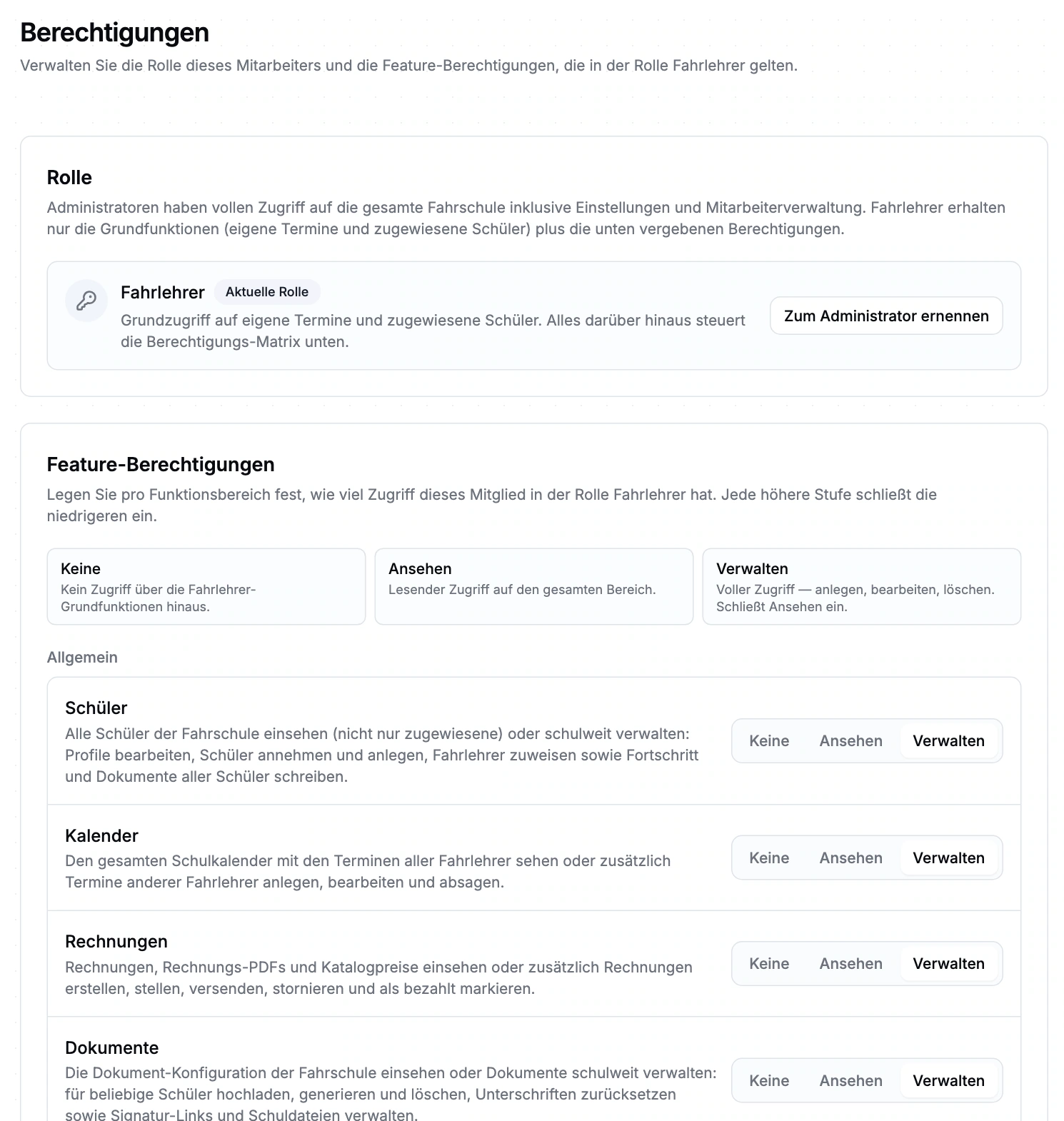
school administrators has school-wide access. instructors retains baseline access to their own appointments and assigned students; additional domains use None, View or Manage. These access permissions need to be considered alongside the interfaces a user can actually access.
Baseline access and additional areas
- Own appointments and assigned learners for instructors
- Additional rights by domain: None, View, Manage
- Check AI-tool permissions alongside the user’s permissions
Manage staff and permissions
The school controls staff access and confirms membership. Instructors see their own appointments and assigned learners; additional tasks need school approval. Separate restricted office logins are not yet available.
Requirements and boundaries
Working in school management currently requires full school access. Separate restricted office logins are not available yet; we plan responsibilities with you during beta onboarding.
Staff permissions: the demo view
The real closed beta interface with sample data. Open the image to inspect its form fields and settings.
Frequently asked questions
What can an instructor see without additional permissions?
instructors retains the intended baseline access to their own appointments and assigned learners. Additional task areas are granted separately.
Are the demo permissions a default profile?
The demo uses expanded permissions for exploration. For your school, check the specific role, required tasks and available interface.
How do we get access?
Apply for the closed beta. Scope, setup and admission are discussed; no immediate activation.
Help shape the management beta.
We discuss scope, setup and conditions before arranging participation. Applying does not activate access.