Stay close to their progress. Give them room to learn.
RoadReview Family helps parents and invited companions understand driving lessons. With the learner’s permission, see recorded routes, feedback and progress in your own read-only app.
For iPhone and Android. A learner invitation is required.
Read-only
Your shared view
The lesson has a story. Now you can understand it.
Family brings the recorded lesson and its context together. You see what was documented, after it has been synchronised.
Lessons in context
Date, duration, route and recorded situations help you understand what was practised.
Feedback you can discuss
Instructor ratings, public lesson notes and available self-assessments give your conversation a starting point.
Progress over time
Recorded lessons and review activity show how training develops. Progress values remain guidance.
The concrete situation
Understand where it happened.
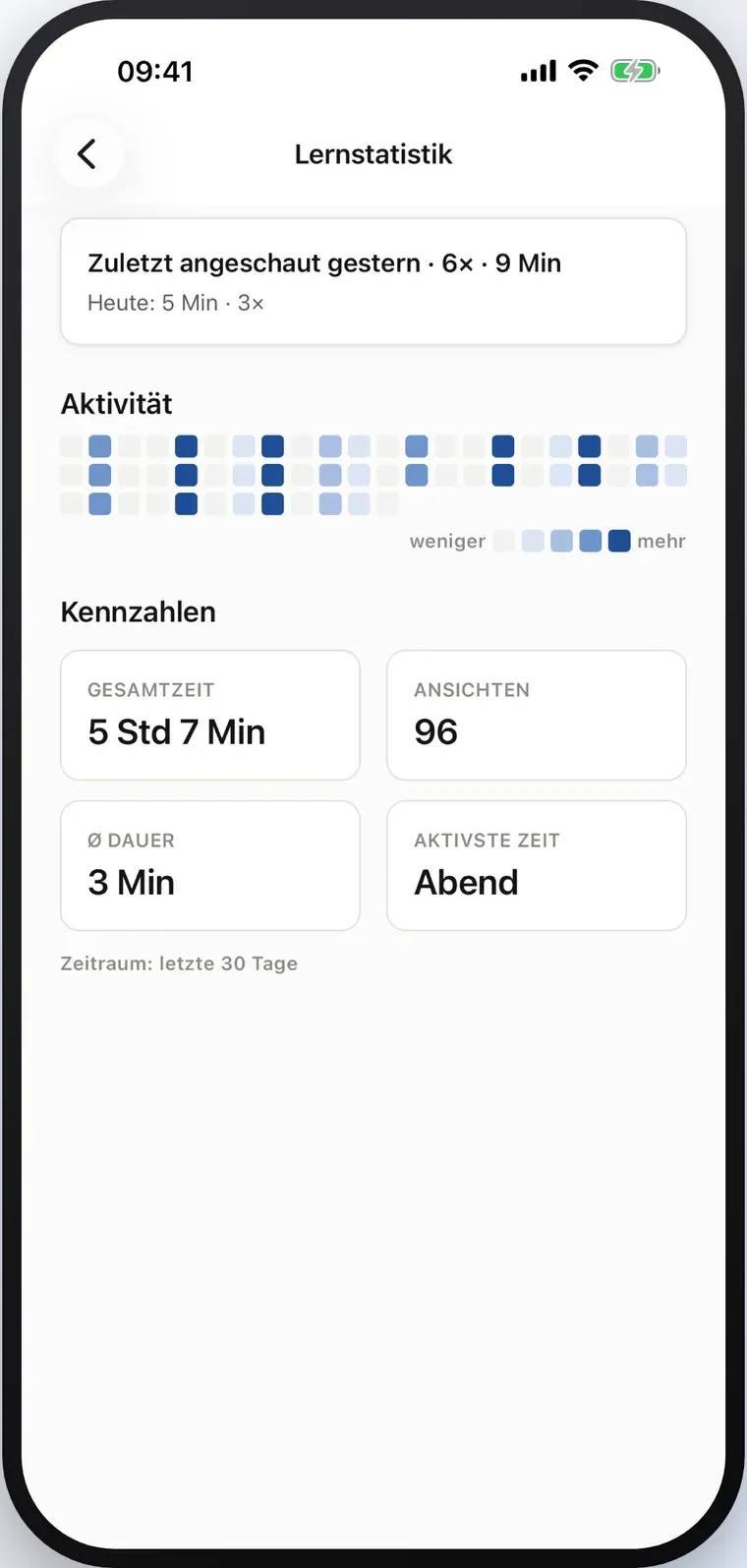
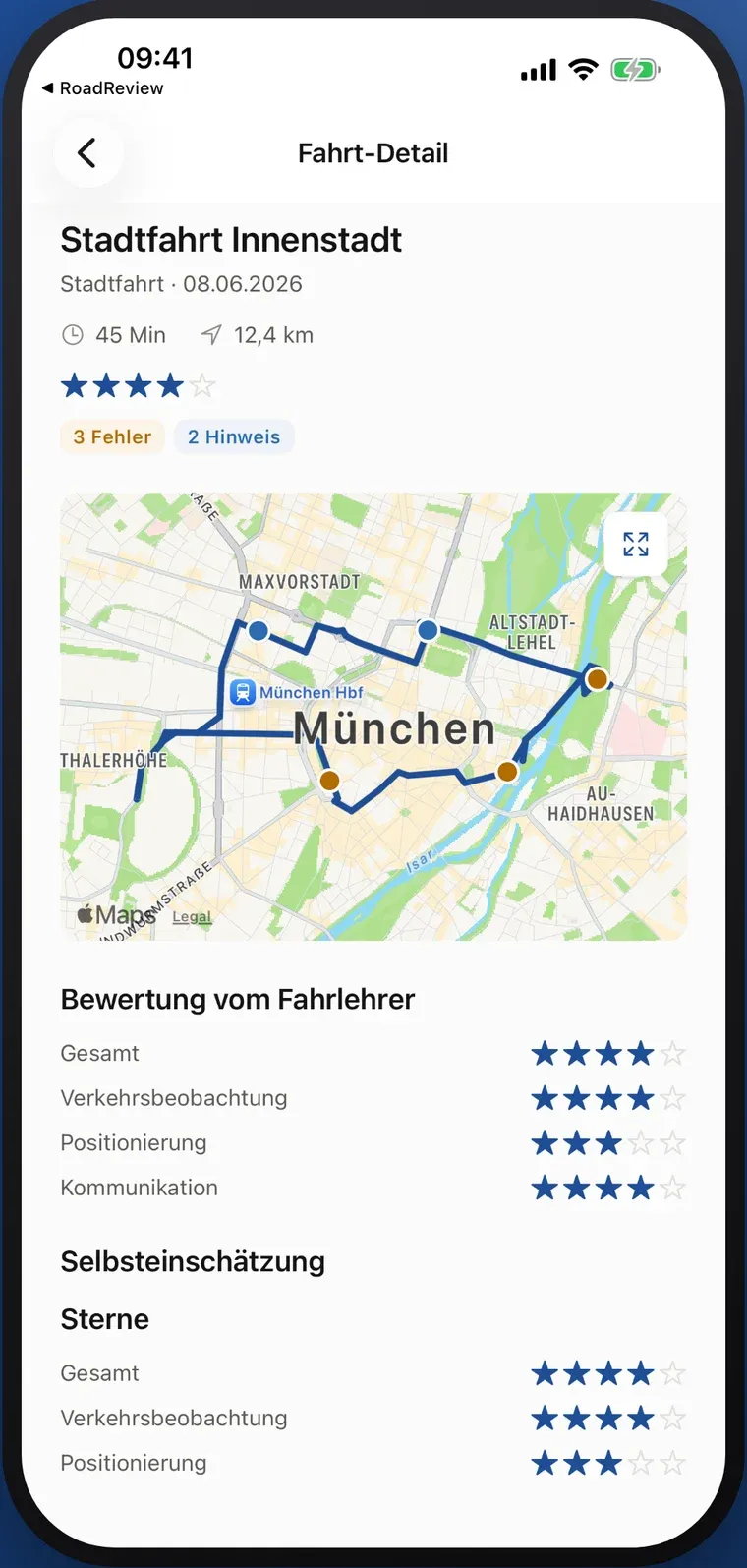
A route gives feedback a place. In the lesson detail, recorded situations and ratings sit alongside the learner’s own assessment. Available audio memos can help explain a mistake.
- View synchronised routes and recorded mistake locations.
- Read public lesson notes and next steps where provided.
- Keep the learner’s perspective part of the conversation.
- Mistakes and notes from the lesson
- Synchronised route with mistake locations
- Instructor rating
- Learner self-assessment
An invitation, not an obligation
The learner decides who joins.
Access starts with a voluntary invitation from the learner’s account. It shares the defined Family view and can be revoked.
- 01
Share an invitation
The learner opens “Invite parents” in RoadReview and shares a QR code or access code.
- 02
Connect in Family
Scan or enter the code and confirm the learner profile. The app stores the access on your device.
- 03
Follow along, read-only
Review synchronised lessons. Family cannot change feedback or add ratings.
Beyond the last lesson
See the review habit develop.
Family shows the review activity recorded in RoadReview. The activity view helps start a conversation about how the learner works with feedback between lessons.
- Recorded app review activity, not all learning time.
- Progress trends help you ask more specific questions.
- A score never replaces the instructor’s assessment.
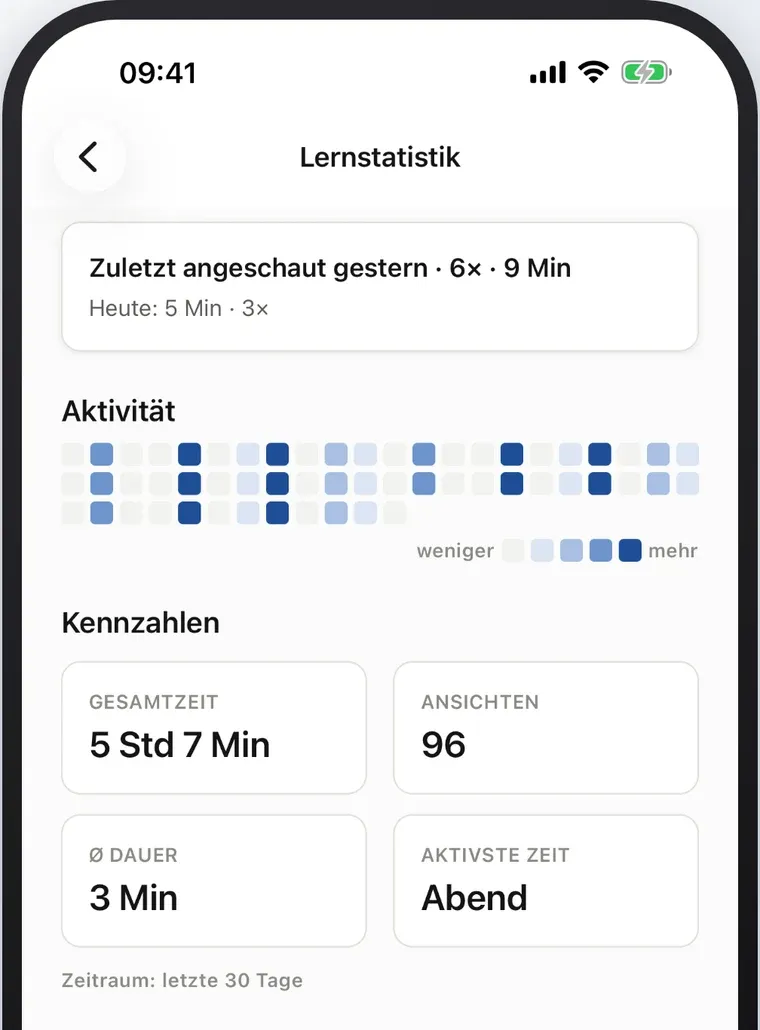
- Last viewed
- Review activity across days
- Key figures for the last 30 days
Family is ready. Your invitation comes first.
Download the app for iPhone or Android. To see lessons, you need a learner account connected to a participating RoadReview driving school and a valid invitation.
The store download is free. This does not describe the pricing of the main RoadReview platform.
How to support your learner →Questions about Family
How do I connect Family?
The learner opens “Invite parents” in the RoadReview app and shares a QR code or access code. Scan or enter it in Family, then confirm the learner profile. A connected RoadReview learner account is required.
What information does an invitation share?
The read-only view includes the learner’s name and licence category, synchronised lessons, routes, recorded situations, ratings, public lesson notes and available self-assessments. It also includes training progress and recorded review activity. Private instructor notes, email addresses and phone numbers are excluded. The invitation shares this defined view; individual fields cannot be selected.
Can the learner withdraw access?
Yes. The learner can revoke the invitation in the RoadReview app. Further access to lesson data is then blocked. Information already read or saved as a screenshot cannot be taken back.
Does Family track a live location?
No. Family shows synchronised lesson records. It does not provide continuous live location tracking, record private drives or send alerts about an ongoing lesson.
Does the progress score predict passing the test?
No. It helps put recorded driving progress in context. It is not a probability of passing or a decision about test readiness. Instructors assess the training; examiners decide the test outcome.
Can I view invoices or document accompanied driving?
Family currently does not offer invoices, payments or an official BF17 accompanied-driving record. It supports reviewing documented driving lessons.
Can I use Family before the school uses RoadReview?
A download alone does not create lesson records or a learner account. Ask the driving school about RoadReview, or send us a Family enquiry. An enquiry does not automatically activate access.
No invitation yet? Let’s find your way in.
Send us your interest in Family. We will discuss the learner account and invitation requirements with you.