You do not have to remember every piece of feedback.
After the lesson, you can open the recorded drive again at your own pace: where it happened, what your instructor said and what comes next. Access is provided through your participating driving school.
- GPS points recorded (operator figure)
- > 4 million
- learners supported (operator figure)
- > 1,000
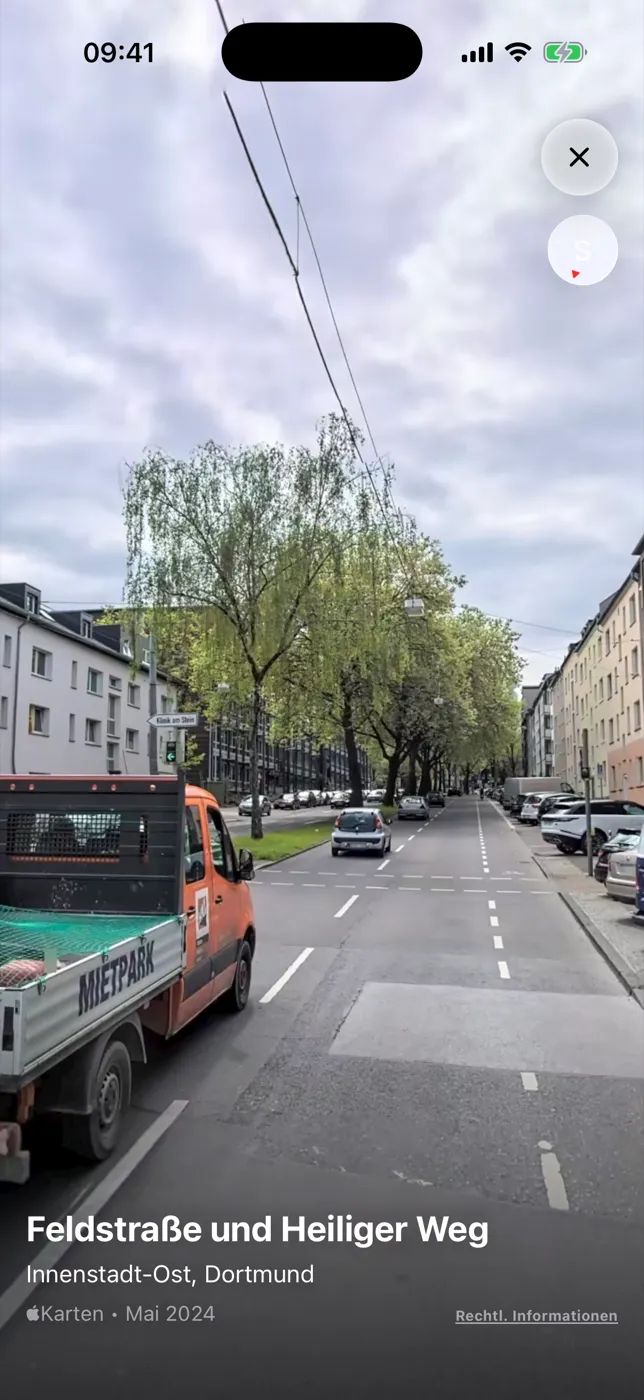
Mistake · 20:26Turn taken too wide
Street imagerySurroundings of the spot, not footage of your lesson
Map-provider street imagery at a mistake location · not camera footage · German example interfaceUsage figures supplied by RoadReview. They describe use, not exam pass rates.
The evening after your lesson
Understand first. Then move on.
On the way home, you remember that a junction was difficult, but not exactly why. Here is how you find the place and the explanation again.
-
Open the lesson
Where was that again?
Open the synced lesson. The route shows where your instructor marked notes, mistakes and risks, colour-coded on the map alongside the assessment and lesson note.
Lesson review25 Mar 2026 · 45 min
Lesson 4 — night drive
2 notes · 2 mistakes · 1 risk
From the example lesson in the app · example data
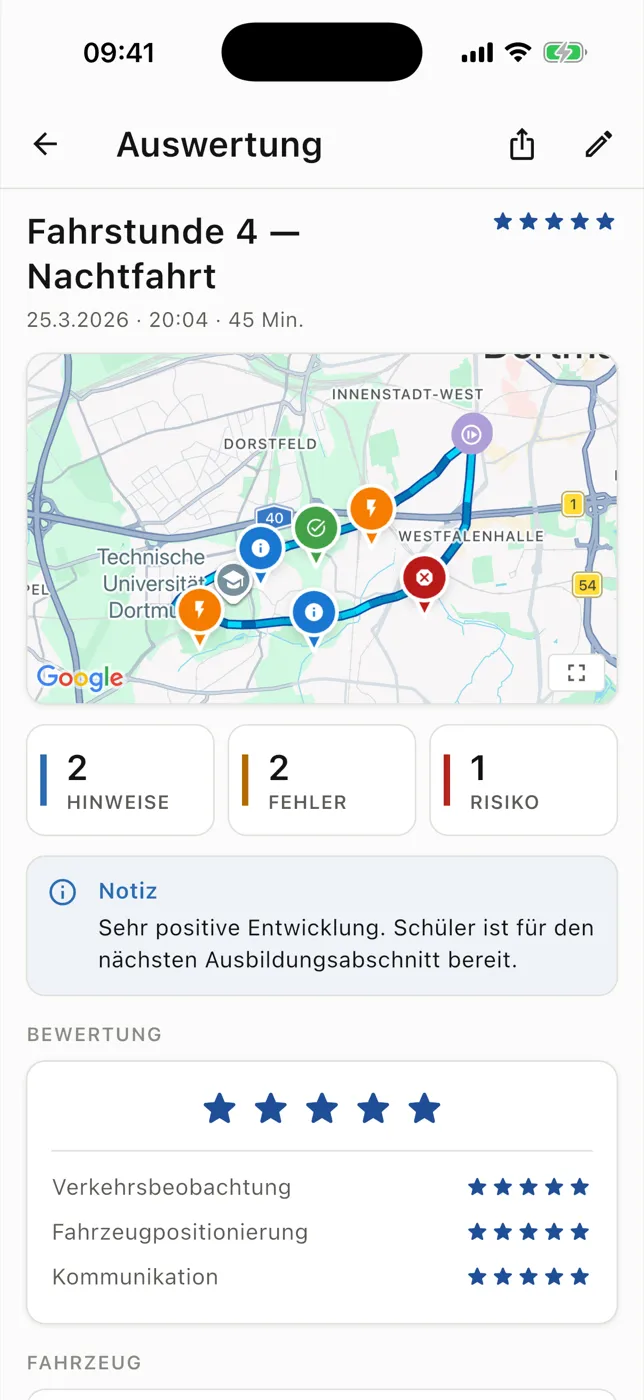
Example lesson review with route, learning markers and lesson notes · German example interface -
Tap a situation
What exactly happened?
Each entry explains the topic with its time and category. If your instructor recorded a voice note, you can listen to the explanation again. Available street imagery shows the surroundings, not your lesson.
Note20:18
Wrong gear selected
An unsuitable gear for the current speed: the engine over-revs or labours at low revs.
From the example lesson in the app · example data
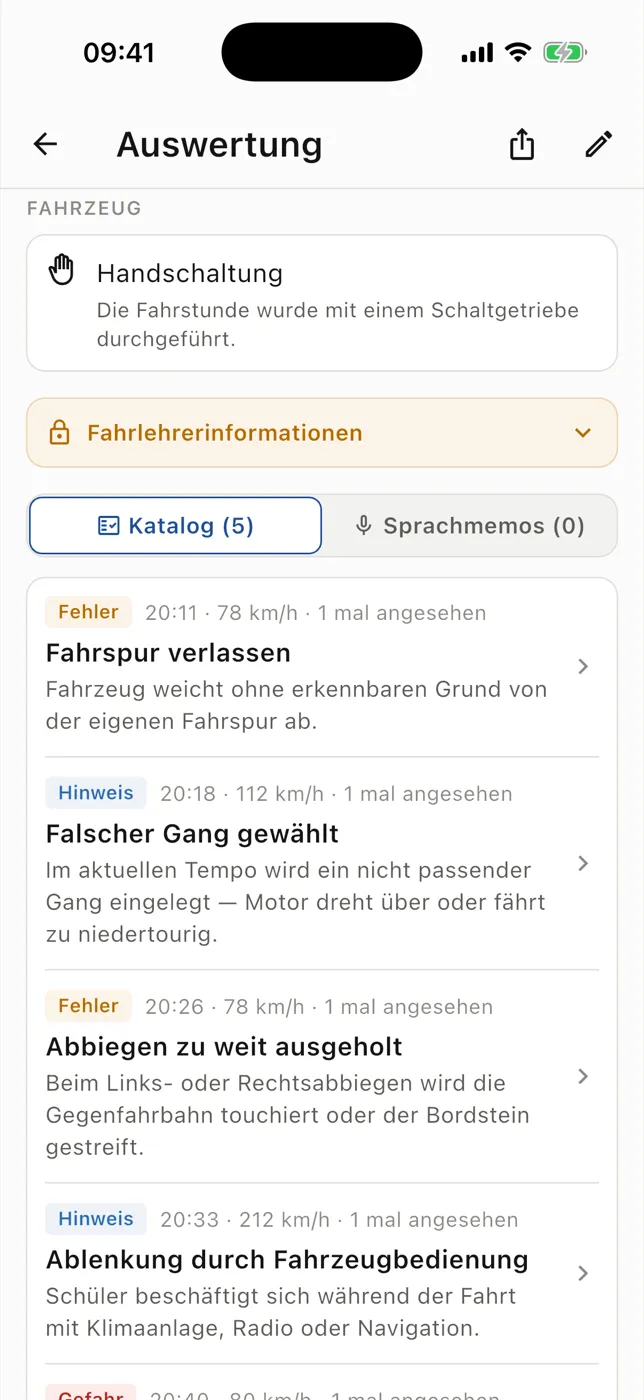
Recorded mistakes with explanations, time and severity · German example interface -
Before your next drive
Add your perspective.
In your self-assessment, you note what went well and what was difficult. The training record shows which tasks have already been practised and recorded. You take your questions into the next conversation with your instructor.
Training record6 of 10 tasks
Country roads & motorway · 0 of 2 done
Still open: a good question for your next lesson.
From the example lesson in the app · example data
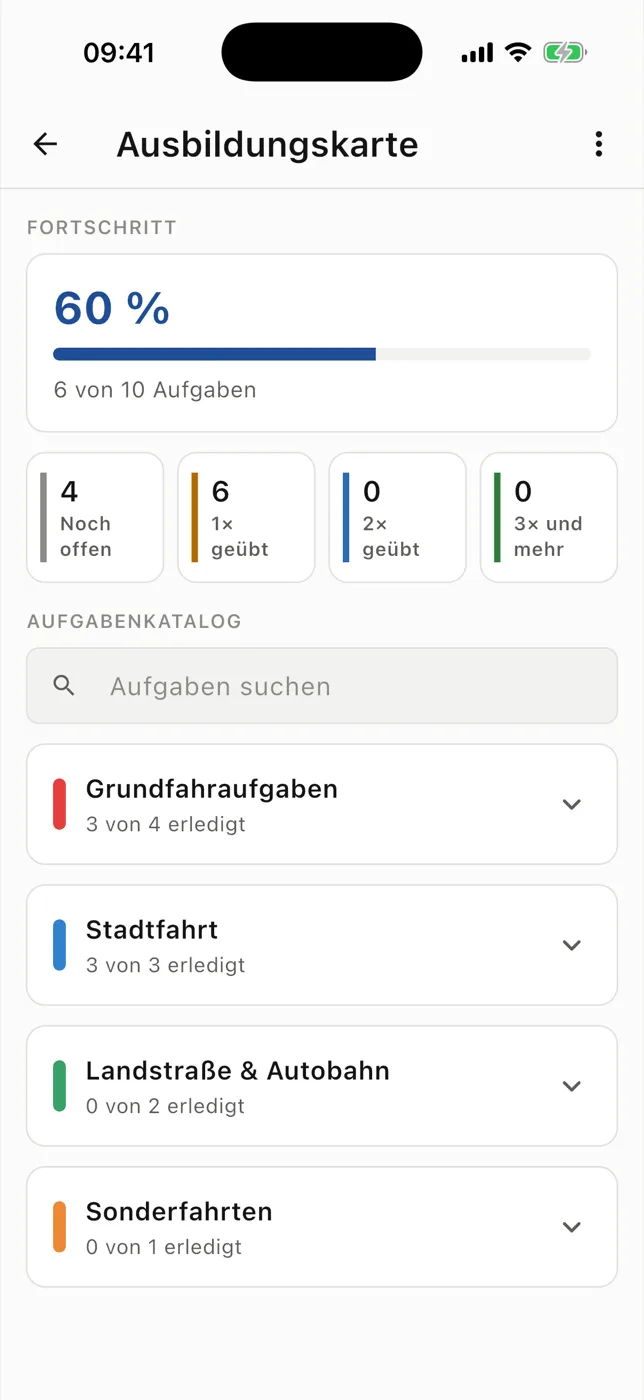
Training record with task areas and recorded practice progress · German example interface
How you get RoadReview.
In four steps
Ask whether your driving school uses RoadReview.
Link your student account to the participating school.
Open the successfully synced lesson and choose a situation.
Discuss unclear feedback with your instructor.
Plainly stated
- Access through your school
- Your student account is linked to a participating driving school. If your school does not use RoadReview yet, you can recommend it through an enquiry.
- Orientation, not test approval
- Driving progress and the training record describe recorded lessons. They do not predict your test result.
- New lessons after upload
- A lesson appears once your instructor has synced it.
- An addition, not a theory app
- The technical quiz complements practical training. It does not provide a complete official question bank.
The enquiry begins the conversation and does not automatically activate access. Optional hardware features depend on suitable devices and available features.
Questions from students
Can I use the app independently of my school?
Your student account is linked to a participating driving school and shows the lessons recorded there. Ask your school first; you can also send an enquiry to recommend RoadReview to it.
Why can I not see a new lesson yet?
New lessons become available after successful upload. If a lesson was saved locally for later, your instructor needs to sync it first.
Does a high driving progress score mean I can take the test?
No. The score gives orientation from recorded lessons. It is not a probability of passing and does not replace discussion with your instructor.
Do learning statistics show everything I learn?
No. They record views and time spent reviewing mistakes in RoadReview. Practice, reading and learning outside the app are not fully measured.
Do I get a complete theory app?
The technical quiz complements practical training. A complete official theory-test question bank is not promised.
Explore the features for your workflow
-
Mistake log
Read explanations of notes, mistakes and risks.
-
Voice notes & transcription
Listen to or read spoken explanations later.
-
Self-assessment
Record your perspective alongside instructor feedback.
-
Training record
Track practised tasks and open areas.
-
Learning statistics
See days, views and time spent reviewing in the app.
-
Technical quiz
Practise vehicle topics and read answer feedback.
Does your driving school use RoadReview yet?
Ask first whether your school uses RoadReview. You can send an enquiry to recommend it to your school. Access is provided through the participating driving school.