More from every driving lesson
Keep the lesson.
Understand the progress.
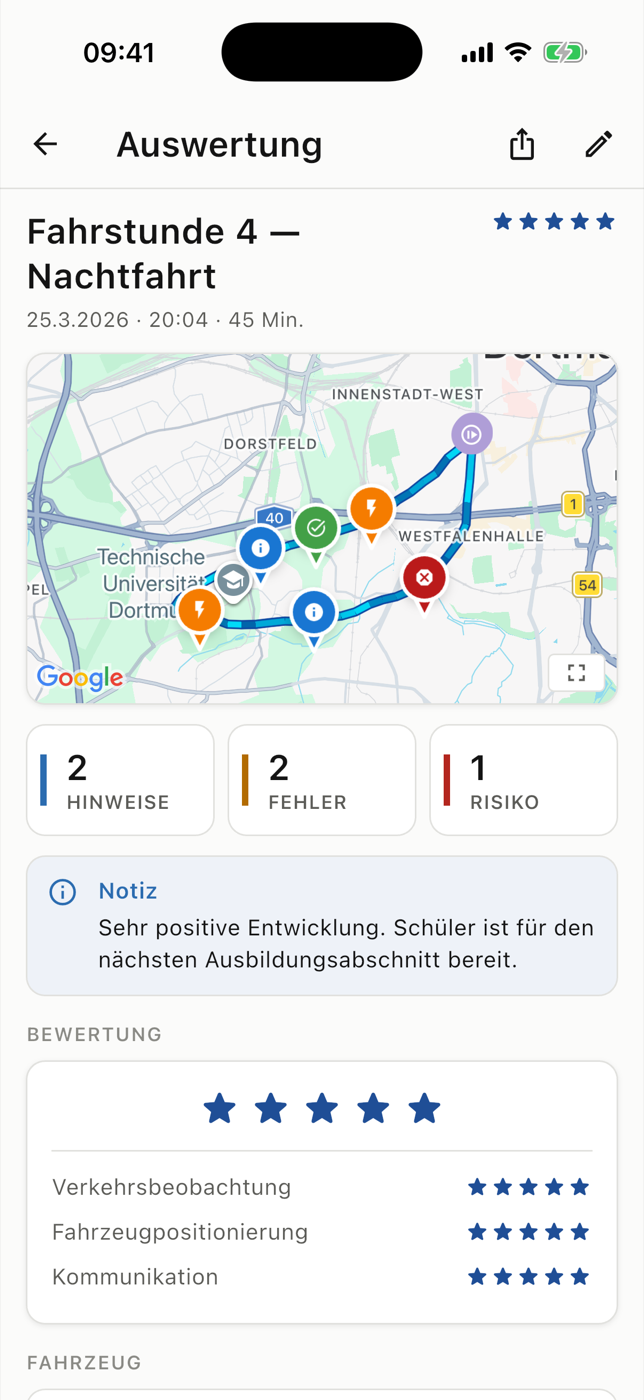
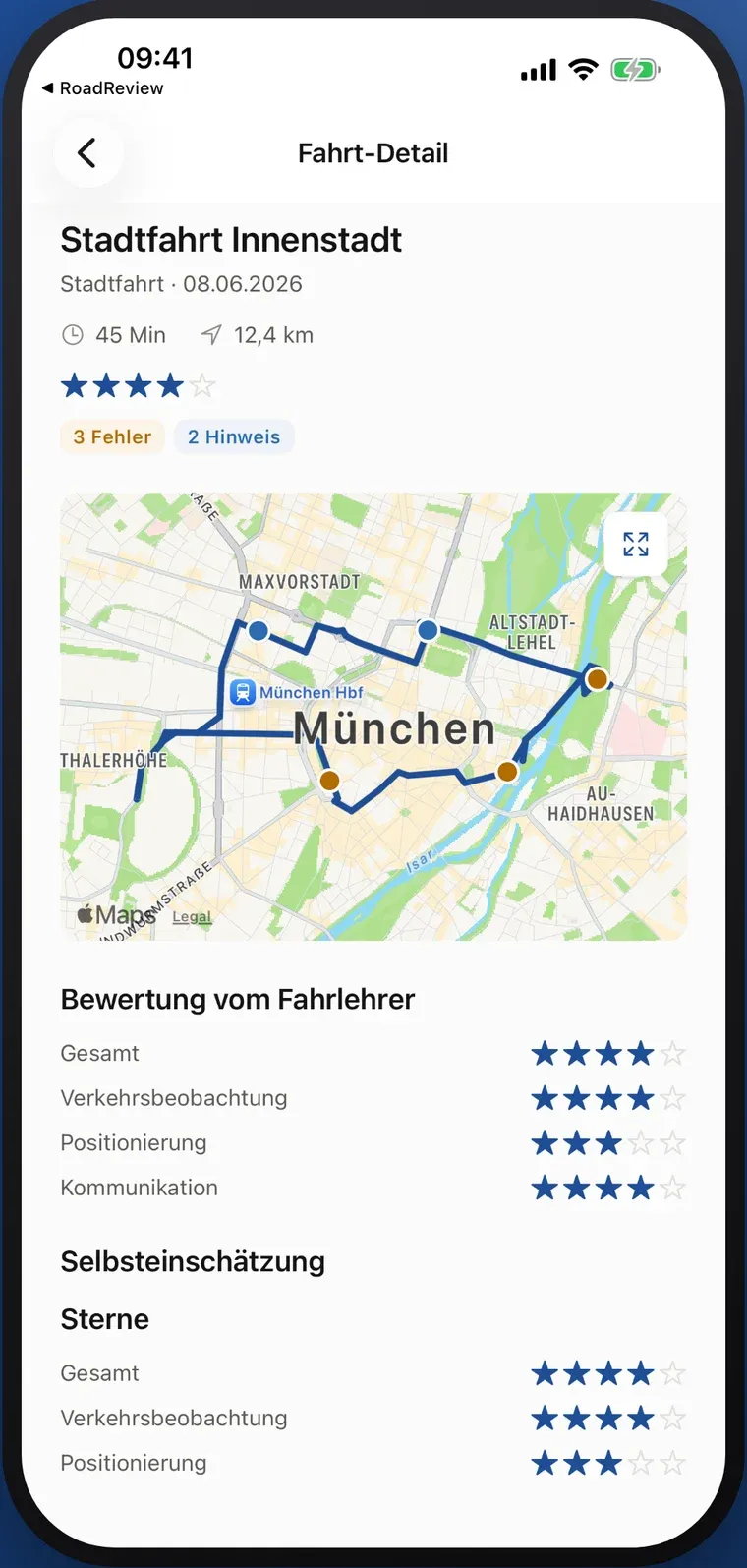
Where did it happen? What did your instructor say? What comes next? RoadReview keeps routes, recorded situations and feedback available after the lesson.
- > 4 million
- GPS points recorded
- > 1,000
- learner drivers supported
App usage figures supplied by RoadReview. They describe use, not exam pass rates.
Three connected product paths
One lesson. Three ways to use it.
Everything starts in the car. From there, RoadReview serves practical training, school organisation and family support, each with its own access.
Starting point
One driving lesson.
- Route recorded via GPS
- Situations noted on the map
- Feedback from the instructor
- Progress as orientation
This is where three product paths begin.
- 01In use
Practical training
RoadReview App
Route, recorded situations and feedback, available after the driving lesson. For instructors and learner drivers.
- 02Closed beta
School organisation
Driving school management
Students, appointments, documents and invoicing in one management workspace. We are testing it with participating schools.
- 03Available
Family support
RoadReview Family
Follow learning progress as a parent or companion. Read-only access requires the learner’s voluntary invitation.
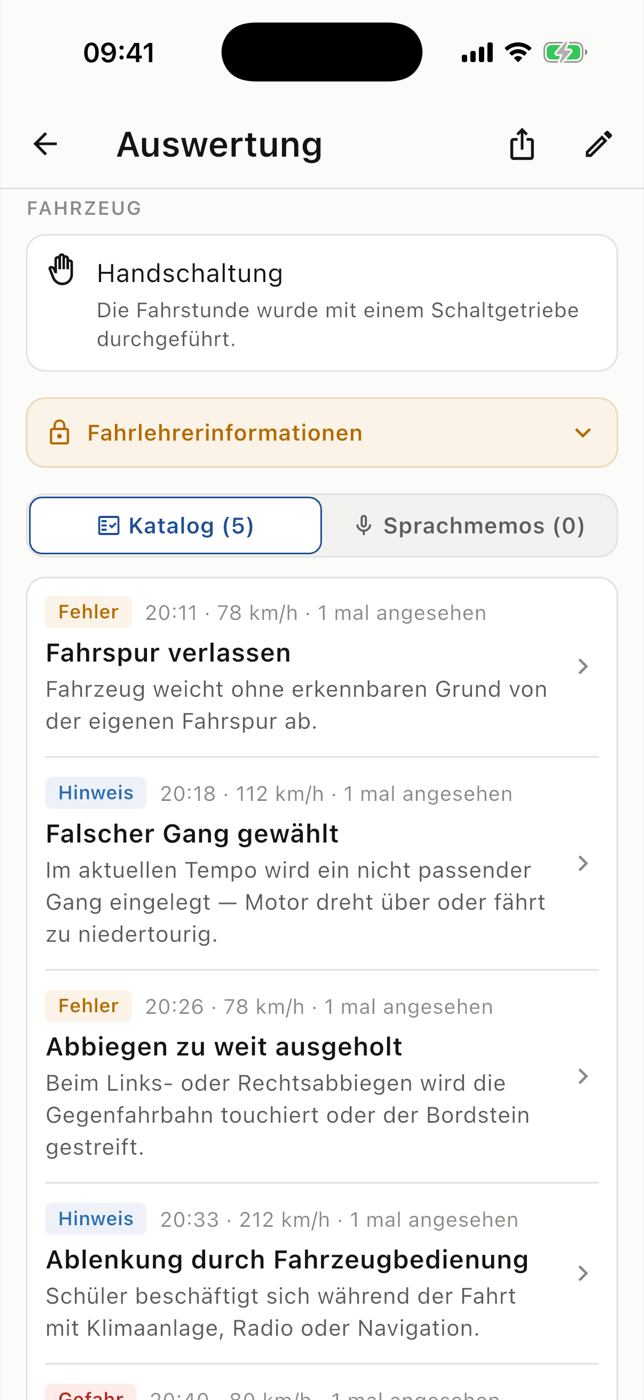
RoadReview AppIn use
Review the lesson before the next one starts.
Instructors record the route, situations and voice notes during the lesson. Learner drivers open the review afterwards and see where things happened and what was said.
- Recorded mistakes with explanation, time and severity
- Driving progress as orientation, not as an exam prediction
- Training record with task areas and practice status
Driving school managementClosed beta
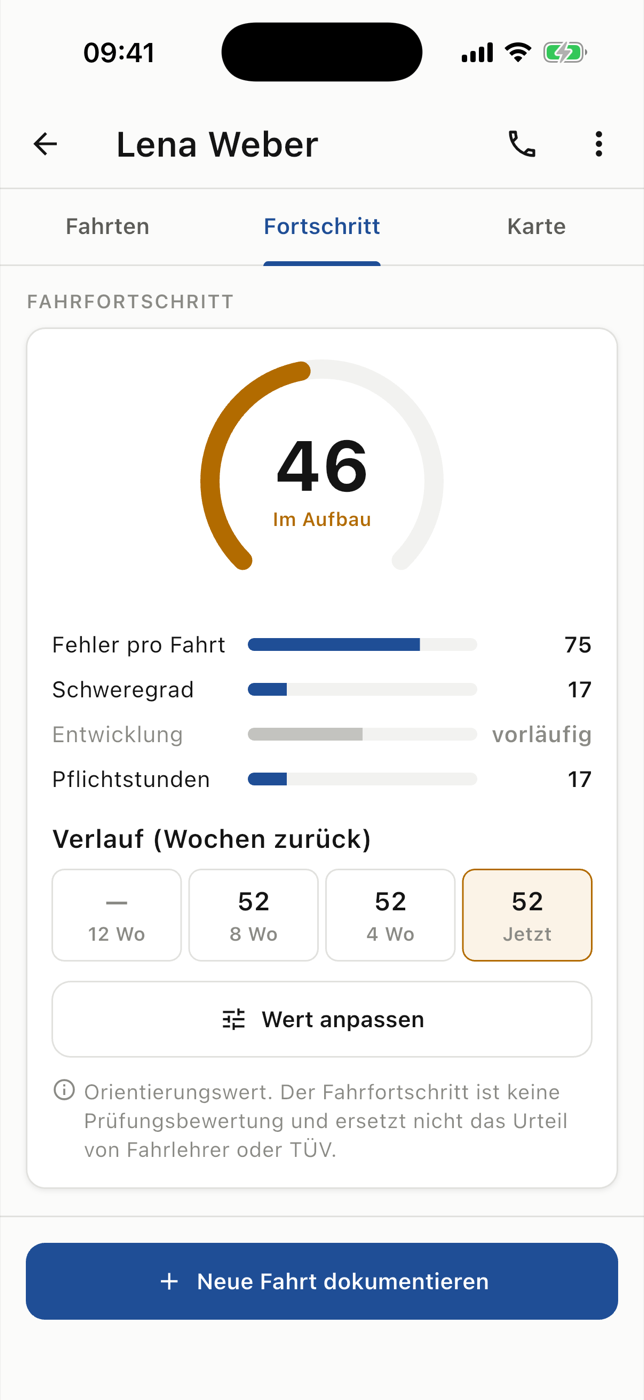
A clearer view of your school day.
Student records, resource planning, documents and finance workflows share one workspace. Integrations depend on the school’s setup. Access is arranged as part of the closed beta.
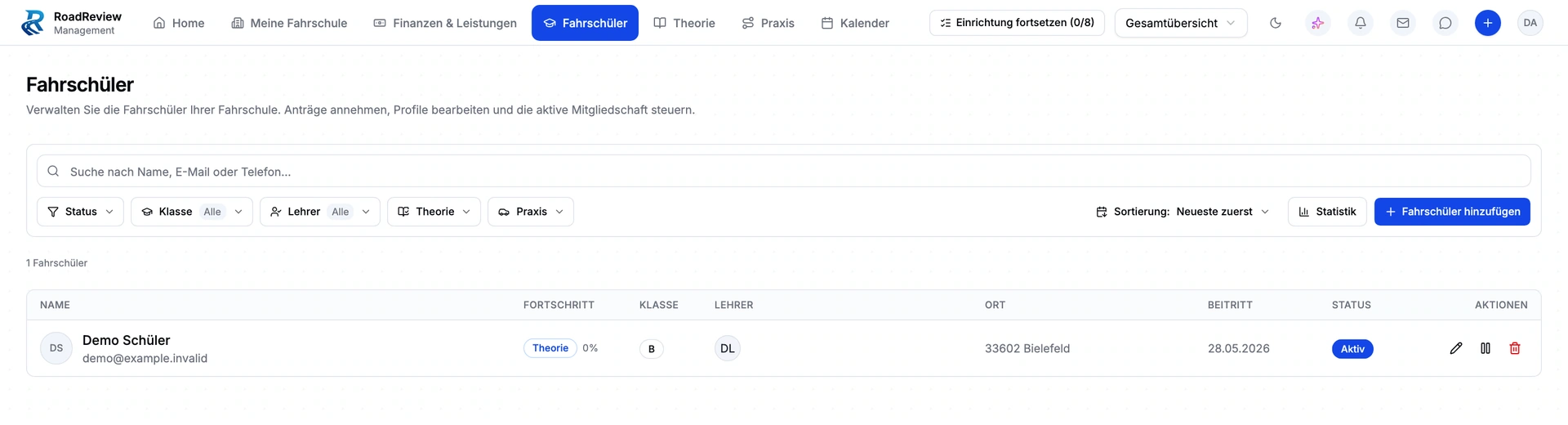
RoadReview FamilyAvailable
Support learning. Respect independence.
Family makes synchronised lessons and learning progress accessible to invited parents and companions. The learner chooses to grant access and can revoke it. Family is a reading view; it does not offer invoice management.
From the pilot phase
What instructors say.
Original quotes in German, published with consent and shown unedited.
Read all experiencesMein Team und ich finden die App schon ziemlich cool, insbesondere dass sie so einfach zu bedienen ist! Ab geht die wilde Fahrt!
Wir und unsere Schüler sind begeistert über die Möglichkeit RoadReview nutzten zu können! Die Idee kommt mega cool an — wir brauchen mehr Flyer!
Find your way in
Start with your role.
- InstructorsDocument lessons
- Learner driversReview your drives
- OwnersKeep the overview
- Office & administrationBundle workflows
- ParentsFollow the progress
Training guides (German) Product features Workflows Comparison with other tools Experiences with RoadReview All pages Image credits
Before you get started
Which RoadReview products are available?
The RoadReview App is in use. RoadReview Family is listed in the App Store and Google Play. Driving school management is in closed beta; applications are reviewed personally.
How do I get started?
Send an app enquiry or apply for the management beta. Family requires an invitation from the learner driver and synchronised lesson data.
What does RoadReview cost?
Contact us about app and management conditions. Family is free to download from both stores. A free download does not imply free access to every RoadReview product.
Does learning progress predict exam success?
Progress is an aid to discussion and lesson planning. It is not a probability of passing and does not replace the instructor’s assessment.
Bring your next lesson into focus.
Tell us how you teach or learn. We will discuss access, setup and conditions personally.