Schedule resources together
Day, week, month and resource views show the schedule from different angles. Appointments connect participants with a vehicle, room or branch. Conflict checks highlight overlaps before you commit the plan.
Bring instructors, students, vehicles, branches and rooms into one schedule. Availability, buffers and absences help you find suitable times.
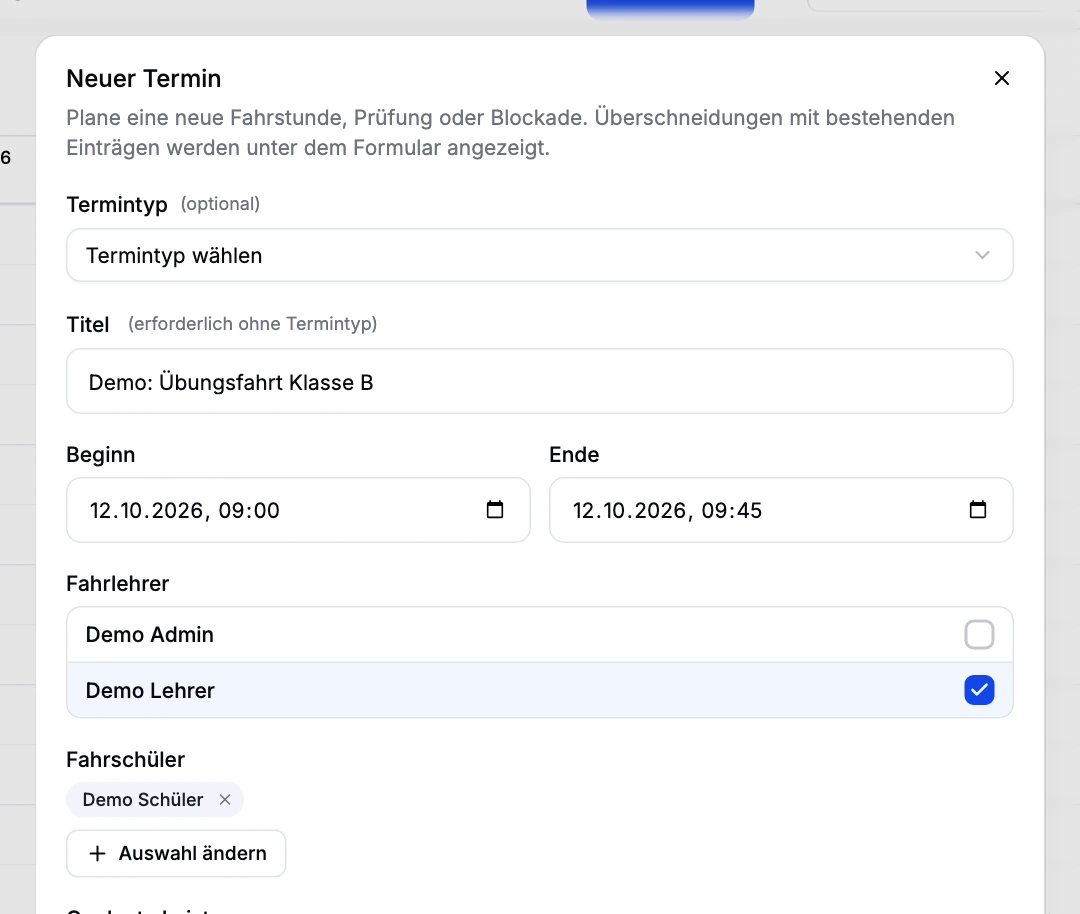
Day, week, month and resource views show the schedule from different angles. Appointments connect participants with a vehicle, room or branch. Conflict checks highlight overlaps before you commit the plan.
Instructor availability windows, existing appointments, buffers and approved absences determine bookable slots. Students see enabled appointment types and submit a request; the instructor decides whether to accept it.
Recurring appointments can be changed as a single exception, a whole series or from a chosen point onwards. Cancellations and no-shows are separate actions, allowing staff to distinguish a one-off absence from a revised weekly schedule.
Bookable appointment types can be linked to a service category. After the lesson, the instructor confirms the services delivered with the student’s signature. This confirmation provides the service-ledger basis for invoicing.
A personal calendar feed can be created and revoked. External calendars can subscribe to it; changes are still made in RoadReview.
Configure appointment types, resources, availability and buffers.
Choose a suitable slot and accept or decline the booking request.
Confirm the delivered services and capture the student’s signature.
Office staff transfer delivered items from the service ledger into an invoice.
The calendar feed is a read-only subscription, not two-way synchronisation. Approved absences do not automatically cancel existing appointments.
No. The student first submits a booking request. An authorised staff member accepts or declines it; acceptance creates the appointment.
Yes. You can change a single appointment, the whole series or the series from a chosen date.
Driving school management is in closed beta. Tell us about your school and workflows. We will discuss whether the scope, setup and access fit your school. Applying does not confirm admission or activate access.
Anyone working in the driving school management interface currently needs full school administration access. Finer office roles are not available yet. We plan responsibilities and access with you during onboarding.
Driving school management is in closed beta. Tell us about your school and workflows. We will discuss whether the scope, setup and access fit your school. Applying does not confirm admission or activate access.